

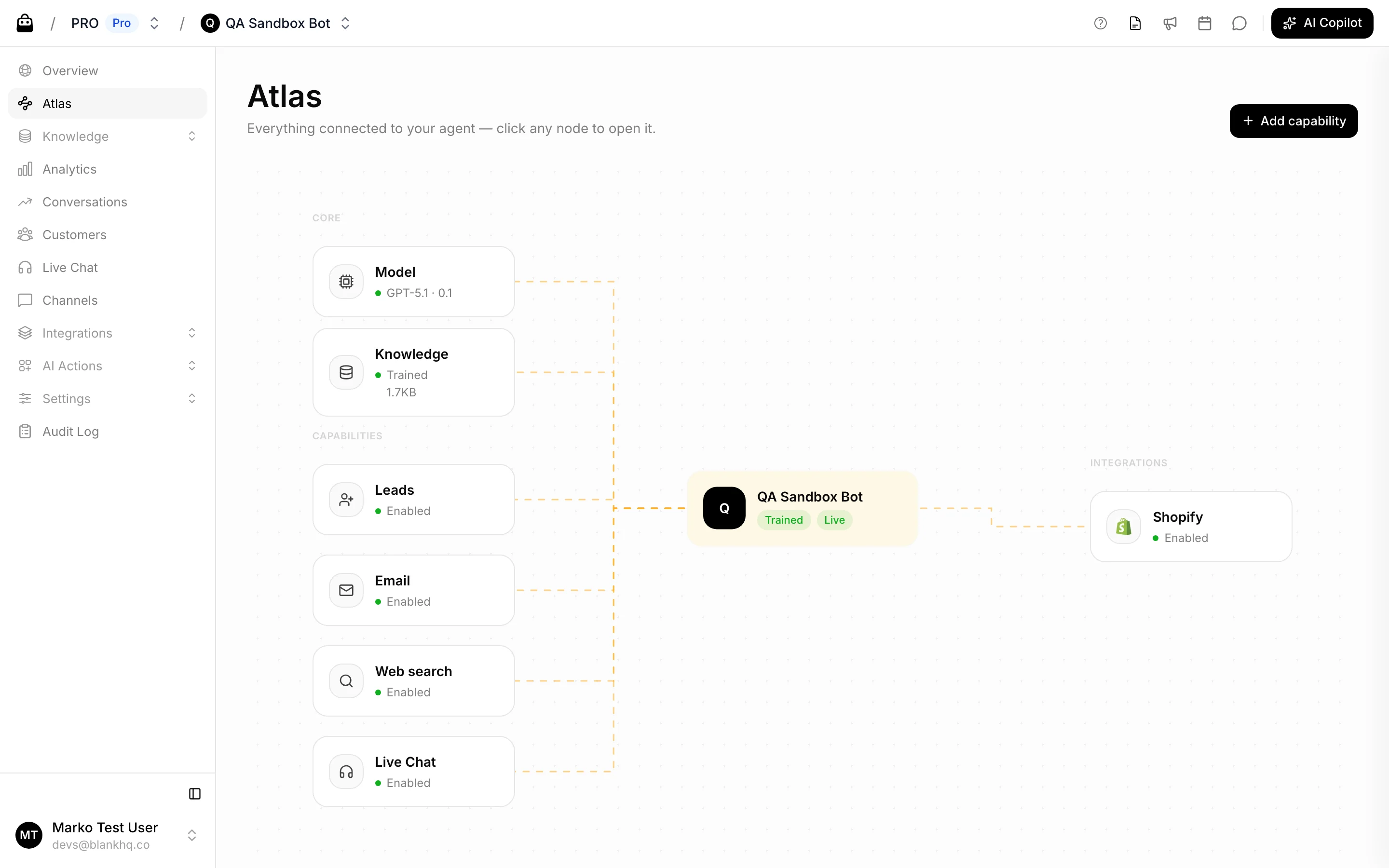
The map
At the center is your agent, with its Trained / Not trained and Live / Draft status. Around it, nodes are grouped into zones:- Core: the Model (with temperature) and the Knowledge base (with training status and size).
- Channels: each connected channel: Web, WhatsApp, Telegram, Email.
- Integrations: each enabled integration: Shopify, WooCommerce, Custom Webshop, MyRent, Meta, Google.
- Capabilities: enabled AI actions (Leads, Email, Web search, API call, Button) and the Help Desk, which appears here when the agent’s Support Handover action is enabled.
Add a capability
Use Add capability in the top right to connect something new. The menu links you to:- Connect a channel
- Connect an integration
- Add an AI action
- Enable Help Desk