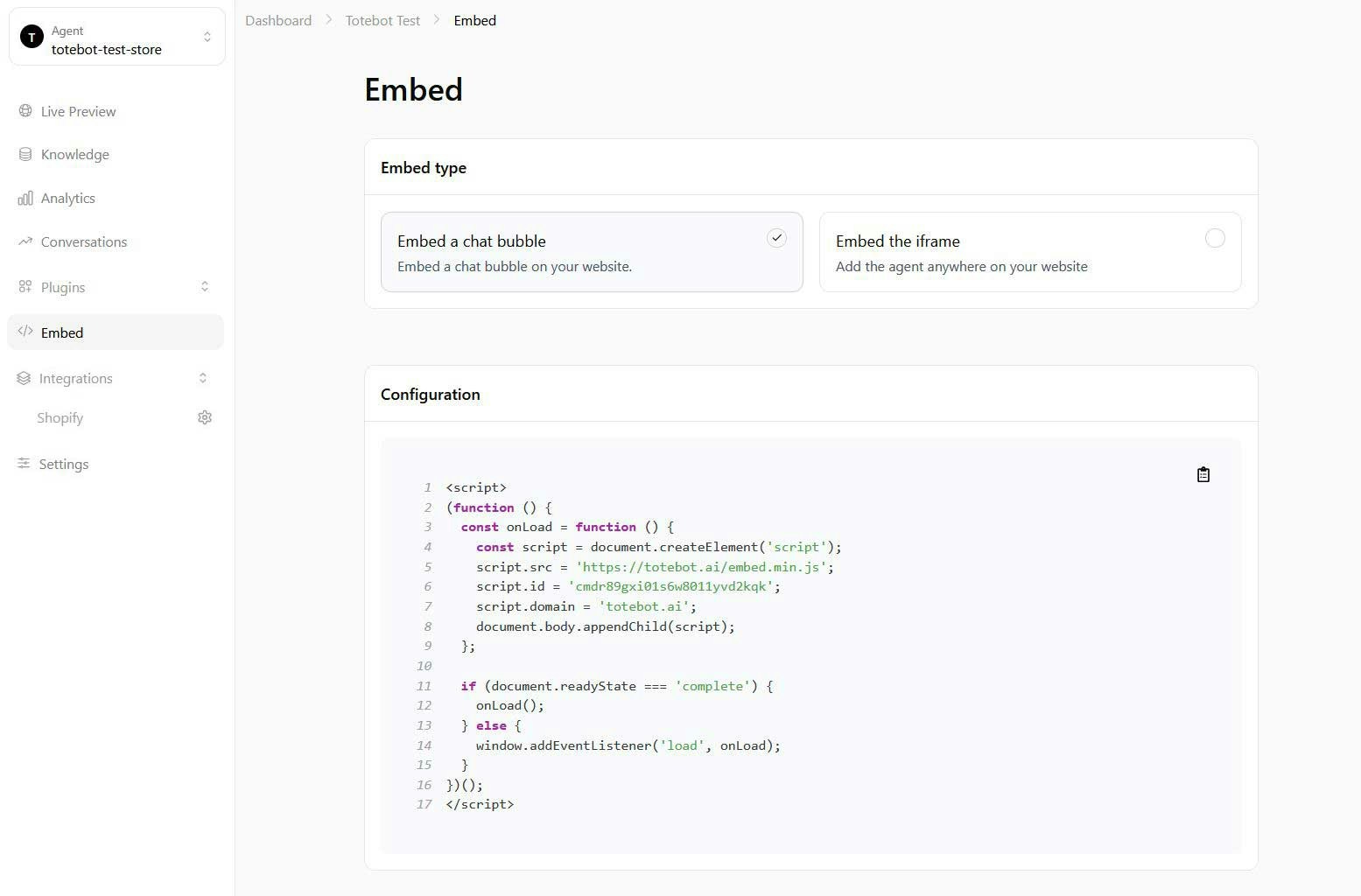
Widget Options
Chat Bubble provides a code snippet that adds a floating chat icon to your site (usually in the bottom-right corner). When clicked, it opens the chat in a pop-up window without leaving the current page. Copy the generated snippet from the page and paste it before the closing</body> tag of your site; it already contains your agent’s ID.
iFrame Embed provides a code that places the full chat interface directly inside a chosen section or page of your website, making the chat part of the page layout and visible without clicking a bubble.
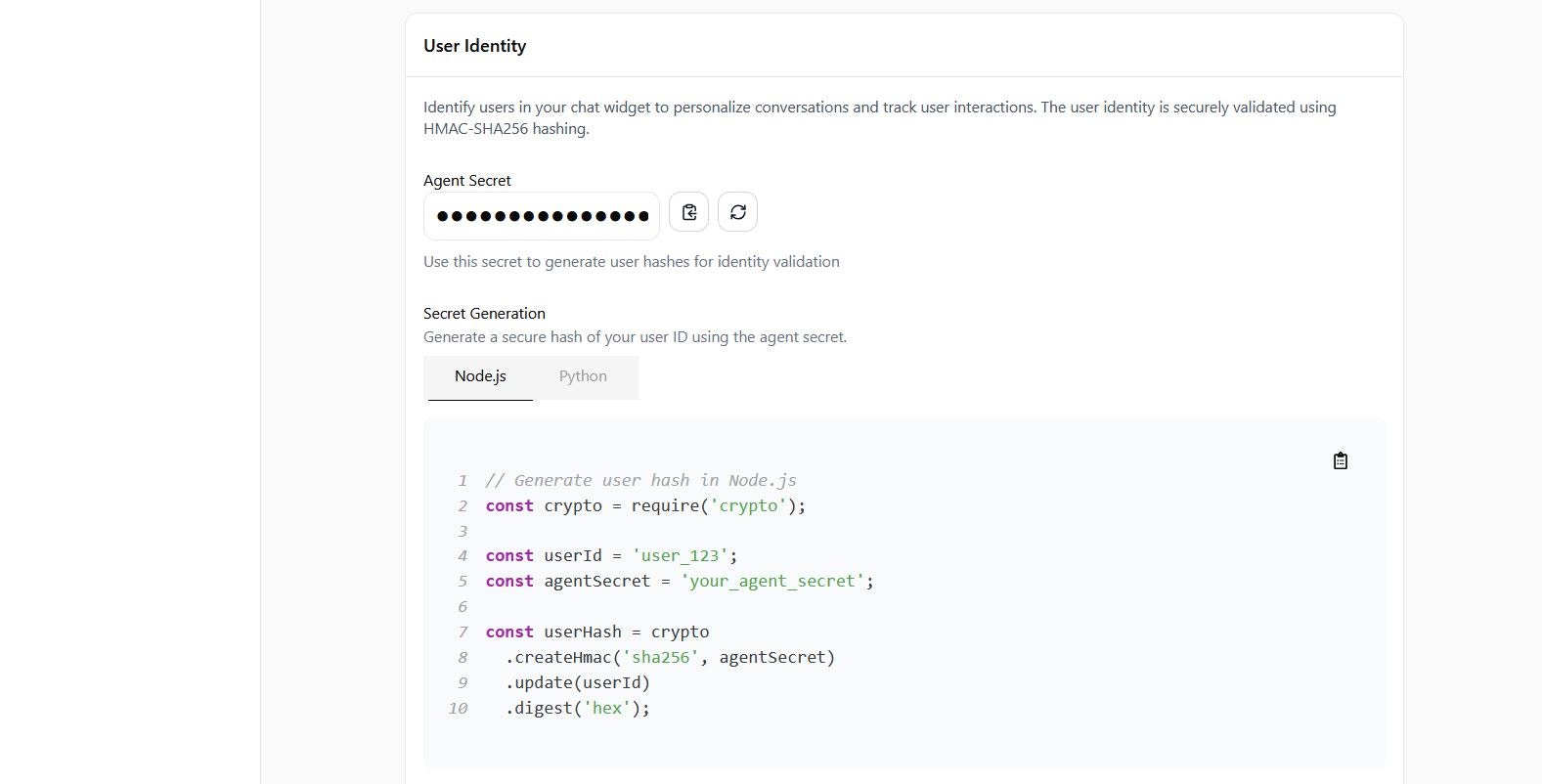
Identity Usage
This option lets you assign a verified ID to each visitor so the agent can recognize them across sessions. By passing a user ID together with a hash generated from your secret key, the agent can remember past conversations, maintain context, and personalize interactions. The provided Node.js and Python snippets show how to generate the hash on your server and pass it to the widget.Identity verification requires the Personalization feature, available on Basic, Pro, and Scale plans.