> ## Documentation Index
> Fetch the complete documentation index at: https://docs.totebot.ai/llms.txt
> Use this file to discover all available pages before exploring further.
# Google Integration
> Connect Totebot with Google Analytics and Google Ads
The Google integration is a tracking & analytics integration that enables you to monitor customer interactions and retarget them through Google Ads.
To access this integration, navigate to **Integrations** → **Google** in your dashboard.
By connecting your Google Ads/Analytics account with a Measurement ID and API Secret, Totebot can send user activity data from chat conversations back to Google.
* Retarget users through Google Ads (Display, Search, or YouTube).
* Build audiences from people who already interacted with your agent.
* Create lookalike audiences to reach new customers similar to your engaged users.
## Connecting Google
Go to **Integrations** → **Google** and click **Connect**.
Enter your **Google Measurement ID** and **API Secret**.
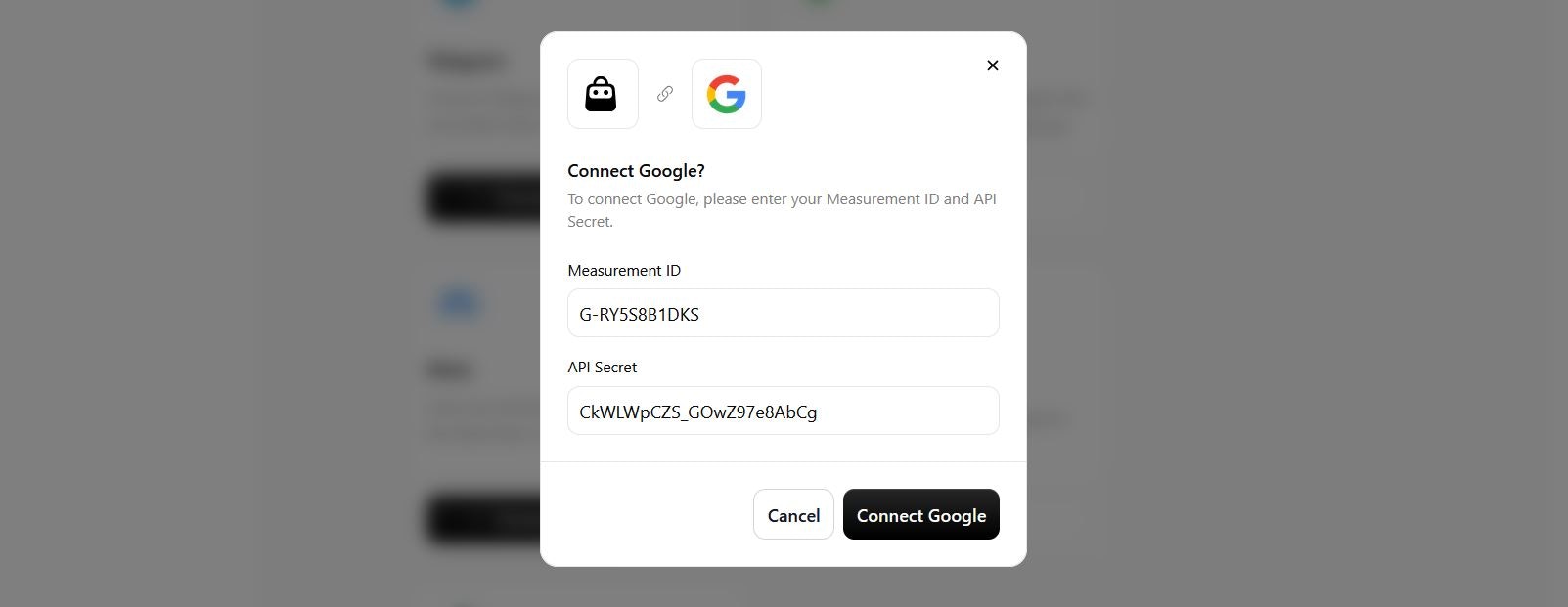 Click **Connect Google**.
 ## Configuring Events
After setup, you can select which events your agent should track and send to Google. Available options are similar to Meta and include:
* **View content**: when a user browses or requests product details.
* **Add to cart**: when a product is added to their cart through chat.
* **Remove from cart**: when an item is removed from the cart.
* **Update cart**: when changes are made to the cart (quantity, size, etc.).
* **Initiate checkout**: when the checkout process is started.
* **Lead**: when a user submits contact info (e.g., email, phone, company).
## Configuring Events
After setup, you can select which events your agent should track and send to Google. Available options are similar to Meta and include:
* **View content**: when a user browses or requests product details.
* **Add to cart**: when a product is added to their cart through chat.
* **Remove from cart**: when an item is removed from the cart.
* **Update cart**: when changes are made to the cart (quantity, size, etc.).
* **Initiate checkout**: when the checkout process is started.
* **Lead**: when a user submits contact info (e.g., email, phone, company).
